
Status Saver: Video Downloader
BlueLine. TechSocial
4.8932.00 Reviews
- Version
- 4.6.6
- Installs
- 50.00M
- Age Rating
- Everyone
Screenshots
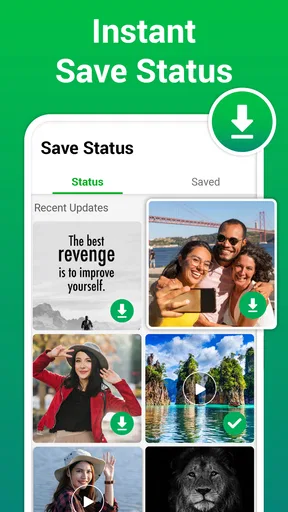
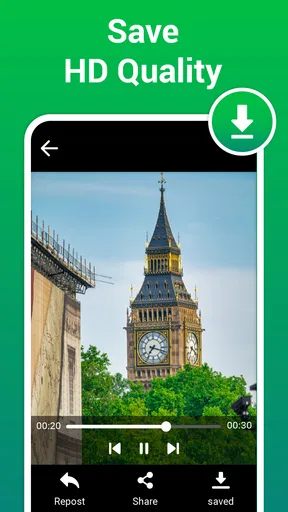
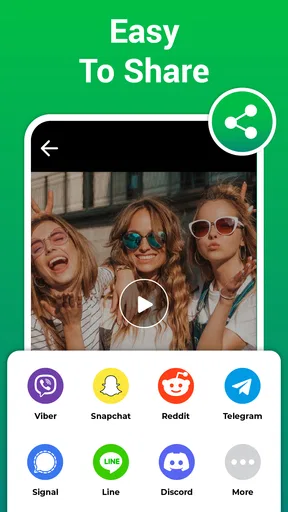
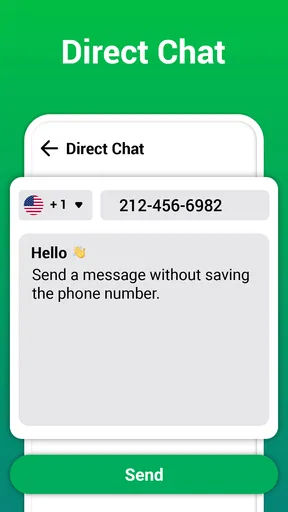
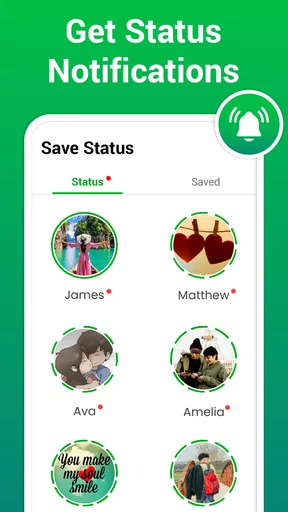
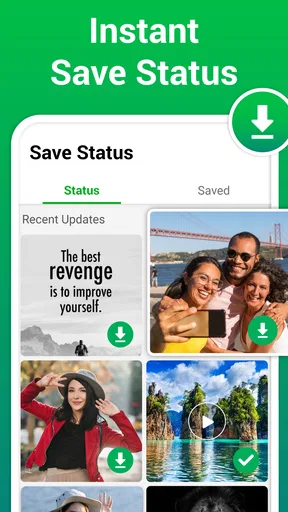
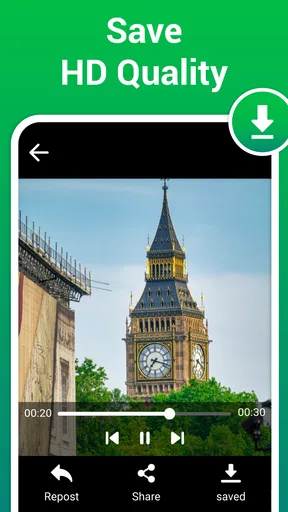
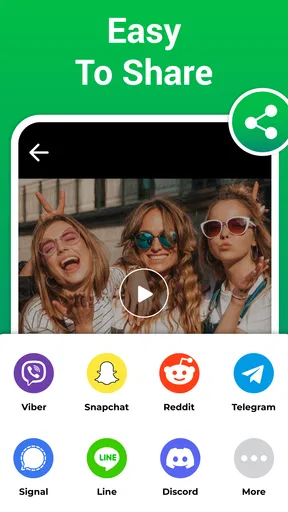
Our Review of Status Saver: Video Downloader
 Analysis by Appyee
When a family member sends me a status video and I want to keep it for later, I usually do not want a complicated editing suite or a full social network. I want a small tool that helps me view, save, and share that media with as little friction as possible. That is where Status Saver: Video Downloader fits. It is a free social app from BlueLine. Tech, designed around handling status content rather than creating a separate feed of its own.
I tested it with a practical household scenario in mind: one person sees a useful clip, another wants a copy, and someone else may be using the same phone at a different time. In that setting, the app is most useful as a quick handoff tool. It can make a status easier to keep locally and share again, but it does not replace thoughtful communication or solve the privacy questions that come with saving someone else’s post.
The app has built a sizeable audience, with over 50 million installs and a 4.8 average from around 204 thousand ratings. Those figures suggest that the basic idea is easy for many people to understand. My own impression is similar: the appeal is not depth, but speed. You open it for a specific task, look for the status you need, and decide whether saving it is worthwhile.
How it works in a shared household
I find shared use works best when the phone’s owner stays involved in choosing what gets saved and who receives it. A simple handoff can be helpful for passing along a family update, but it also means the saved copy may be visible to whoever uses the device next. That makes a little planning worthwhile before anyone starts browsing the saved media.
A useful handoff when several people use one phone
Imagine a parent receives a short school-related clip, a relative sends a family announcement as a status, or a housemate posts a video that everyone needs to see. With a normal messaging workflow, the person who wants the clip may have to ask for it again, wait for a direct send, or search through a conversation later. A status-saving tool can shorten that process by putting the media in a form that is easier to revisit and share.
I find this particularly practical when the original status is temporary in nature. A household member can view it while it is available, save it for a legitimate personal reference, and show it to someone else who was not online at the same moment. That is a modest benefit, but it addresses a real everyday problem: people rarely check messages at exactly the same time.
There is an important boundary here. Saving a status is not the same as receiving permission to redistribute it everywhere. If the clip contains a private conversation, a child’s image, a work document, or somebody else’s creative material, I would ask before forwarding it beyond the people who were clearly meant to see it. The app makes the technical step easier; it does not make the social decision for you.
What I would do before handing over the phone
On a shared device, I would first open the app myself and check what appears in its main view. I would then save only the items that have a clear purpose, such as a recipe, an event detail, or a family video that the sender expects relatives to keep. This avoids turning the phone into a confusing pile of old clips that nobody can identify later.
I would also separate temporary viewing from permanent keeping. A status can feel important simply because it is about to disappear, but that does not mean it deserves indefinite storage. My preferred routine is to save the useful item, share it with the intended person, and remove it later if it no longer serves a purpose. That workflow is more manageable than treating every status as an archive.
Another small but valuable habit is to use a clear verbal label when passing the phone to another person. Saying “this is the clip from Aunt Maria” is better than expecting someone to recognize an unlabeled file among several similar videos. The app helps with access, but household organization still depends on people.
Keeping account boundaries clear
The most important limitation in shared use is that the app does not magically understand who is allowed to see a saved item. If several people use one Android phone, anything saved to a generally accessible media area may be visible to the next person who browses it. That means I would avoid saving sensitive status content on a device that is regularly passed around.
This matters even more when the phone belongs to one person but is used by children, guests, or older relatives. A saved clip can outlive the context in which it first appeared. Someone opening the gallery later may not know who sent it, why it was kept, or whether it was meant to stay private.
For that reason, I see Status Saver: Video Downloader as better for deliberate, single-user actions than for unattended household collection. I would use it when I am present and know what I am saving. I would not treat it as a shared inbox where everyone can safely browse without supervision or explanation.
Setup, coordination, and everyday trust
I would agree on a few simple habits before making this part of the household routine: identify the intended clip, confirm who should receive it, and avoid keeping sensitive items on a phone everyone can access. Those small steps make coordination easier without asking the app to manage family boundaries for you. Next, I’d focus on how each person can use the workflow consistently and respectfully.
Starting with realistic expectations
The app is free to install, which makes it easy to try without committing money at the beginning. Its content rating is Everyone, and it runs on Android starting with version 7.0, so it is suitable for a broad range of compatible devices. The current version is 4.6.6, and the developer is listed as BlueLine. Tech.
Those facts make the app approachable, but they do not mean every phone or every household routine will feel identical. Older devices may have less comfortable storage space or slower media handling, while newer phones may make the process feel almost instant. I would check the device’s available storage before saving a large number of videos, especially if several people use the same phone for photos and messaging.
The store summary presents a simple promise: tap, save, and share status media. In practice, I would still spend a moment learning where saved items appear and how the app distinguishes images from videos. That initial orientation prevents the common household complaint of “I saved it, but now I cannot find it.” A tool can be simple and still deserve a short setup check.
Coordinating without creating duplicate work
One useful household rule is to decide who is responsible for saving a particular status. If two people independently save the same clip, the phone may end up with duplicate copies and nobody knows which one should be shared. A quick message such as “I’ll save that and send it to everyone” keeps the process tidy.
This is also helpful for relatives who are less comfortable with mobile apps. Instead of asking them to install anything, I would handle the saving step on my own phone and send the result through the usual conversation. That keeps the app in the background and avoids turning a simple request into a technical lesson.
The reverse situation is just as important. If someone asks me to save a status for them, I would confirm exactly which one they mean before tapping. Status feeds can contain several items from the same person, and saving the wrong clip can create an awkward privacy problem. A few seconds of confirmation is cheaper than an accidental share.
Where it differs from ordinary alternatives
The usual alternative is to ask the original poster to send the video directly. That approach is often better when the material is private, when the sender owns the content, or when the highest-quality copy matters. Direct sharing also preserves the conversation around the file, which can be useful later.
Status Saver: Video Downloader is more convenient when the sender is offline, the status is about to disappear, or the recipient simply wants a quick personal copy. Its advantage is immediacy. Its weakness is that the saved file can lose the surrounding context, and the person who receives it may not know whether it was intended for wider circulation.
A screen recording feature built into a phone is another alternative. It can capture almost anything visible, but it is usually less tidy, may include interface elements, and requires more editing afterward. A dedicated downloader-style app is preferable when the task is specifically status media and I want a cleaner, more direct workflow.
On the other hand, if I need trimming, captions, format conversion, cloud organization, or detailed privacy management, I would choose a broader file or video tool instead. This app’s focused design is its strength only when the job stays narrow.
Age context and trust
The Everyone rating makes the app broadly accessible, but an age label should not be confused with a complete household safety plan. Younger users may understand how to tap a save button while still needing guidance about consent, personal images, and forwarding. I would explain that a status can belong to a real person even when the app makes copying feel effortless.
For children using a family phone, I would set a simple rule: save school, family, or clearly shareable material, and ask before keeping anything involving another person. I would also review the saved media together from time to time. That is not a technical control supplied by the app; it is a practical trust routine that helps children understand the difference between viewing and redistributing.
Older relatives may benefit from the app’s direct purpose because they do not need to learn a large social platform. I would show them one complete workflow: open the relevant status, save the intended item, locate the saved copy, and share it only with the agreed recipient. Demonstrating the whole path is more useful than merely saying that the app is easy.
Privacy decisions I would make before saving
My first question would be, “Would the sender be comfortable knowing I kept this?” If the answer is unclear, I would ask. This is especially important for status updates that show faces, locations, personal documents, or moments that were shared only with a limited audience.
My second question would be, “Who will use the saved copy?” A family recipe sent to one household may be harmless to keep, while a personal announcement may not be. The same technical action can be appropriate in one situation and intrusive in another.
Finally, I would consider whether saving is even necessary. If I only need to remember an appointment time, writing it in a calendar may be safer and more useful than keeping an entire video. The app is good at preserving media, but not every piece of information needs to remain as media.
Costs and the point where I would stop
The app is free, but it includes in-app purchases ranging from $9.99 to $29.99 per item. Since the central task is straightforward, I would try the free experience first and decide whether any paid option genuinely improves my routine. I would not pay simply because a household member wants a one-time download.
This pricing detail also affects how I would introduce the app to less technical family members. I would make sure they understand that free installation does not automatically mean every optional feature is free. On a shared device, I would be especially cautious about leaving purchase decisions to a child or a guest.
For occasional use, the free starting point may be enough. For someone who saves status media constantly, it is worth thinking about whether the extra cost is justified by the time saved. If the answer is no, asking people to send important videos directly may remain the more sensible long-term habit.
Who should use it, and who should skip it
I would recommend this app to someone who regularly needs quick personal copies of status photos or videos, prefers a focused utility over a full media editor, and is comfortable making their own decisions about consent and storage. It also suits a household coordinator who often passes useful status information to relatives who were not online.
I would be more cautious recommending it to a person who expects automatic organization, strong account separation, or a built-in family permission system. Those needs are not the reason to choose this app. Someone who works with confidential material should also consider whether local saving is appropriate at all.
If your main goal is to create polished videos, edit clips, back up media across devices, or maintain a carefully categorized library, a dedicated editor or cloud file service will be a better match. If your goal is simply to save and share a status without extra steps, this focused approach makes more sense.
My household verdict
After using Status Saver: Video Downloader as a practical social utility, I see it as a useful shortcut rather than a complete media-management solution. It can reduce the back-and-forth involved in sharing a status with family, and its free entry point makes experimentation easy. The app’s popularity, with over 50 million installs, is understandable because the core need is common and easy to recognize.
My recommendation comes with one condition: use it intentionally. Decide who should receive the saved item, avoid keeping private material casually, and remember that a shared phone does not provide meaningful boundaries by itself. A household that follows those habits can get real value from the app without turning every status into permanent clutter.
For me, the best use is a short, supervised workflow: identify the right status, save only what has a clear purpose, share it with the intended person, and clean it up later when appropriate. That makes the app feel practical instead of intrusive. If that matches the way you handle social media at home, it is worth trying; if you need advanced organization or stronger privacy separation, I would choose a different kind of tool.
Verdict
Strengths of Status Saver: Video Downloader
- Quickly saves photos, videos, and status updates to your device.
- Built-in media preview makes it easy to select files before saving.
- Supports sharing downloaded content to other apps.
- Simple interface suitable for users with little technical experience.
- Can help preserve status posts before they disappear after 24 hours.
Limitations of Status Saver: Video Downloader
- May require access to device storage and recently viewed media.
- Downloaded files can consume storage quickly, especially high-resolution videos.
- Compatibility may vary with different messaging app versions.
- Some features may be limited by Android or iOS privacy restrictions.
- Users should obtain permission before reposting someone else’s content.
Similar Picks in This Category
View All
Meta Platforms, Inc.4.6

Instagram4.0

Likee-Live, Chat & Party Games
Likeme Pte. Ltd.4.4

Facebook Lite
Meta Platforms, Inc.4.5

TikTok - Videos, Shop & LIVE
TikTok Pte. Ltd.4.0

Moj: Free Short Drama & Reels
ShareChat4.1
Frequently Asked Questions
What is Status Saver: Video Downloader used for?
Status Saver: Video Downloader is designed to help you save photos, videos, GIFs, and other temporary status updates from supported messaging or social platforms to your device. After viewing a status in the original app, you can open this downloader, select the media, and save it for later viewing or sharing. Its exact supported services may vary by app version and device.
How does Status Saver: Video Downloader save photos and videos?
The app generally works by detecting media that has already been viewed and temporarily stored on your phone. You select the image or video inside Status Saver, preview it, and tap the save or download option. For the feature to work correctly, you may need to grant storage or media access permission and open the original status before launching the downloader.
Is Status Saver: Video Downloader free to use?
Status Saver: Video Downloader is typically available as a free download, although the experience may include advertising, optional purchases, or premium features depending on the version installed. Before downloading, check the listing for current pricing and subscription details. Also review whether advertisements appear during browsing, saving, or sharing, since this can affect everyday usability.
Can I repost or share downloaded status content?
The app may let you share saved photos and videos through other applications, but downloading a file does not automatically give you permission to republish it. Status updates can belong to private individuals, creators, or businesses and may be protected by copyright or personal privacy rights. Always ask for permission when appropriate and avoid sharing confidential or sensitive material.
What permissions and privacy considerations should I know about?
Because Status Saver: Video Downloader needs to find and save media, it may request access to photos, videos, files, or device storage. Grant only the permissions required for its main functions, and review the app’s privacy policy and store listing before installation. Avoid using unofficial modified versions, and remember that saved content can remain accessible in your device gallery or file manager.
